Data Export
This page explains how to export data from the system. All the generated management reports that export as Excel or CSV formats can be found in the Data Export List along with other generated files.
Data can be exported from different entities, such as clients, loans, groups, installments, transactions, next of kin, addresses, journals, and payments etc.
To export data:
- Go to Data Export > Create Data Export.
- A form will be opened for you to fill out.
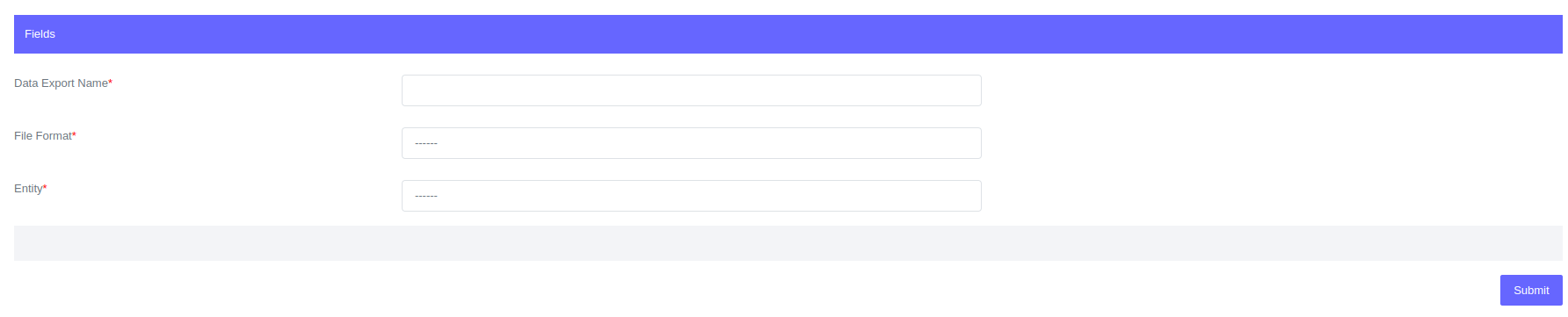
Once you select the entity two additional fields will be displayed wiwth names, fields and filters.
- Click submit.
After you submit this form, a data export profile will be created. The profile will show the name of the report that was created, the file format, the status of the report that was created, the entity, and the start and end dates of the report that was created.

Click on the "download" button to download.
The created report will be kept in the system just in case the user will need to access it again. To view the report go to Data Export > Data Export List.

Click on the name of the link to open the data profile.
Fields for data export:
| Field | Description |
|---|---|
| Data Export Name | Name of the data export being created |
| File Format | Select the file format between csv and xlxs |
| Entity | Select the entity of the export being created from loans, clients etc |
| Fields | Select the entity fields . |
| Filters | Added filters if you need to |